Platform tour
Ennea's navigation follows your access. A missing entry can mean that the feature is unavailable in your workspace, a permission is missing, or the function is accessed through an assigned App.
Workspace context and search
The header shows the selected site and environment. Open the selector to choose another assigned scope. Check it before creating orders, publishing configuration, or confirming actions. Each tab has its own confirmed context.
Global search in the header finds available navigation and supported records. Use the full order or material identifier when names are ambiguous. Studio also has an explorer search for configuration.
Main areas
| Area | Purpose |
|---|---|
| Konnie | Conversations, groups and team messages, evidence, plans and authorized actions. |
| Nexus | Objects, relationships, records, activity, source coverage. |
| My Apps | Published operational Apps available to you. |
| Planning / Factory Calendar | Scheduling and working time for resources. |
| Orders | Customer demand and manufacturing work. |
| Operations Studio | Reusable factory definitions, Apps, integrations. |
| Agents / Konnie Control Center | Agent work and AI settings for authorized users. |
| Logs & Audit | Events, deliveries, available audit evidence. |
| Admin | Organization, users, devices, groups, access. |
Expand collapsed navigation to read truncated labels. My Apps opens an operational App; opening its Studio definition is a different task.
Studio workspace
Open a category in the explorer, search for an entity, then open its editor. Tabs contain the definitions you are editing. Read draft and publication indicators before saving or publishing.
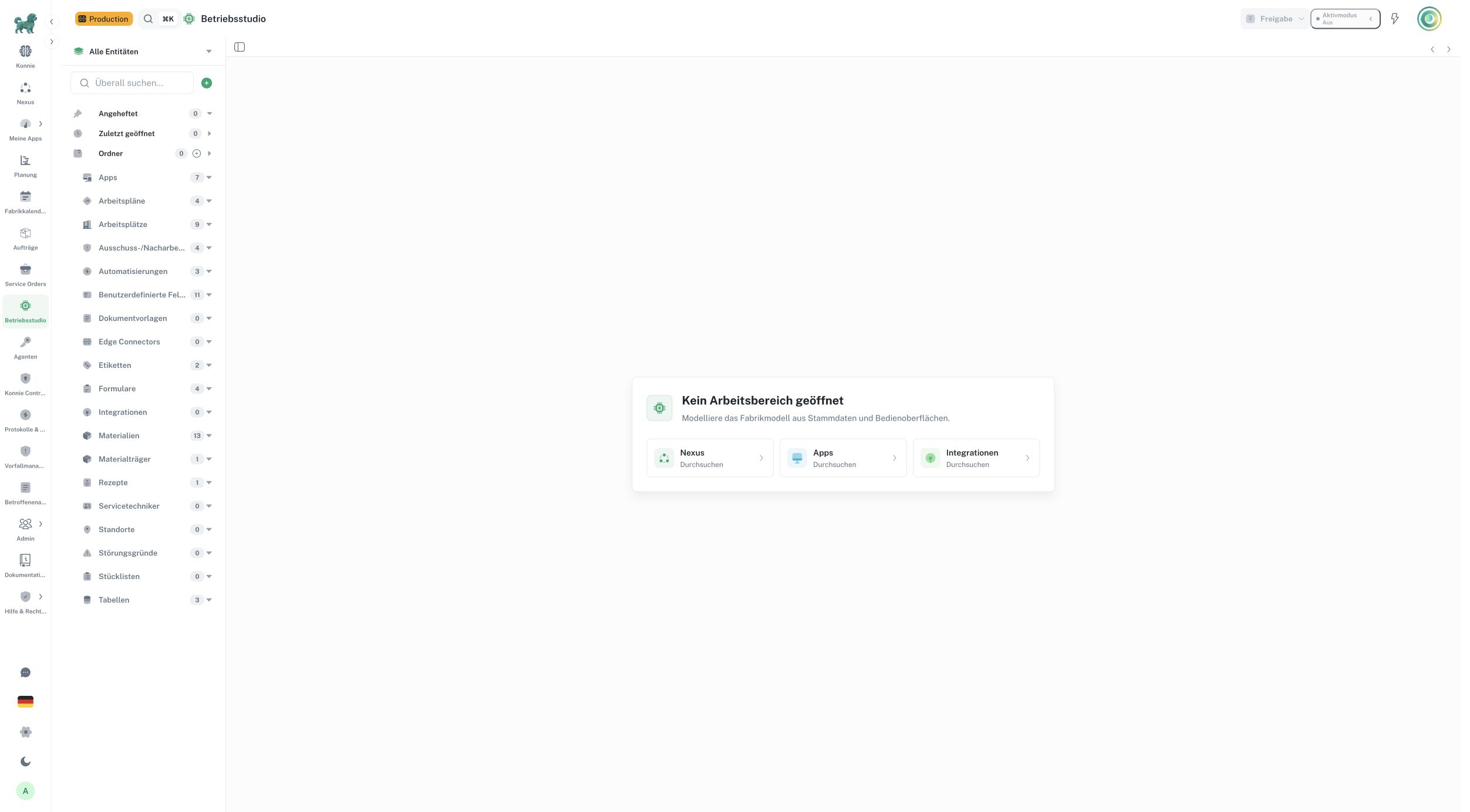
German interface: the header identifies Production and the explorer lists configuration categories. Counts and available categories vary by workspace.
Active Mode controls supported assistant execution behavior. It is separate from voice Live and does not replace permissions or required reviews. Staged changes opens changes awaiting review or application. See Konnie governance.
Account and assistance
Use the account menu for profile, security settings, and sign-out. Language, theme, and layout controls affect display. The support control opens a request flow. Include the failing task and its context; exclude credentials.
Continue with Getting started, Roles and permissions, or Operations Studio.
For device and network preparation see compatibility; for outage recovery, exports and service shutdown see customer operations.